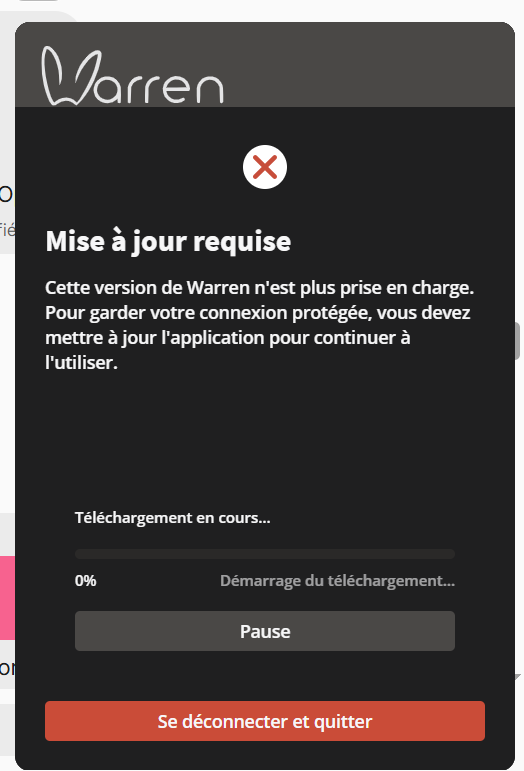
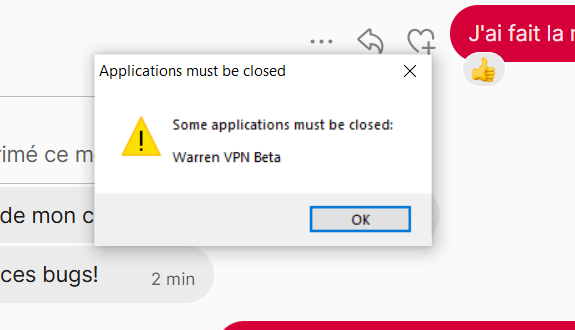
The installation wouldn’t start and stayed at 0%, then after disconnecting and restarting, it was possible to download it. The installation showed an error message, but it still finished correctly.
Technical data automatically attached from the Warren application (App version: 1.1.10, System: Windows 10 Build 19045. Kernel version: Windows 10 Build 19041). Full logs are visible only to the support team, never publicly.
@mihoz-gumav-sahid Thanks for the report: two real bugs, both in the screen whose sole purpose is to install an update. The irony is appreciated.
What was happening: your version had just been removed from the beta channel, so the app was rightly demanding version 1.1.10. Then, two mistakes on our part. Clicking Pause at 0% canceled the download without telling the screen, which continued to display “Starting download…” even though nothing was happening anymore. And the version check that precedes each download had no time limit: on a stagnant connection, it could wait indefinitely. Quitting and restarting the app was exactly the right move.
The “Applications must be closed” window during installation is normal: Windows signals that the app is still running, OK to close it and the installation continues. It’s in English and blunt, but it doesn’t break anything.
Nothing to do on your end: you are on version 1.1.10 and it works. Your two bugs have been fixed and tested; the fixes will be included in the next version, 1.1.11.